Keyboard Layout Sizes Explained
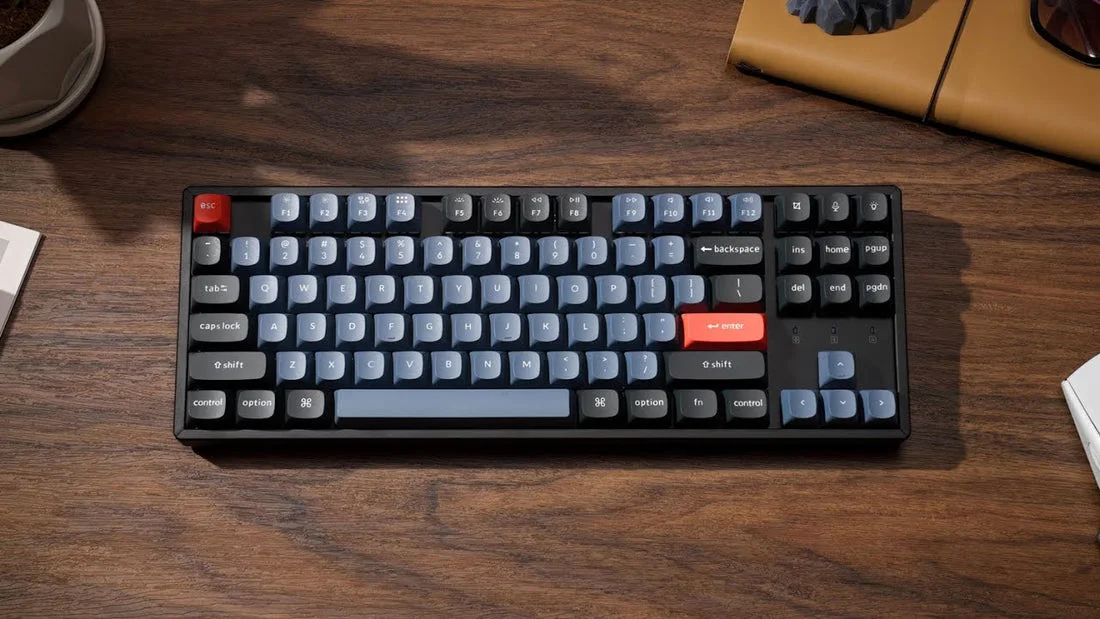
Keyboard size describes which keys are included and how closely they are arranged. A full-size keyboard has the complete letter and modifier section, a function row, navigation keys, and a dedicated number pad. Tenkeyless, or TKL, removes the number pad while keeping the function row and navigation cluster. Smaller layouts compress or remove more keys: 75% keyboards retain nearly everything in a tighter arrangement, 65% keyboards usually remove the function row, and 60% keyboards keep the main typing area while relying heavily on shortcuts or a function layer.
The percentage labels are useful shorthand, but they are not perfectly standardized. Two 75% keyboards may place navigation keys differently, and some compact models add dedicated arrow keys or a few extra controls. Always check the actual key layout and dimensions before buying, especially if you use a particular key such as Insert, Home, Page Up, or Print Screen.
What a full-size keyboard includes
A full-size keyboard is the most familiar layout. Its number pad is valuable for spreadsheets, accounting, data entry, inventory work, and software that uses frequent numeric input. The separate navigation cluster also makes document editing straightforward. The tradeoff is width: the number pad pushes the mouse farther away, which can make a compact desk feel crowded or require more shoulder movement during long sessions.
What TKL and compact layouts remove
A TKL keyboard keeps the main typing area, arrow keys, navigation cluster, and function row but removes the number pad. This makes it a strong middle ground for people who want familiar controls without the extra width. A 75% layout usually keeps the function row and arrow keys but compresses gaps between sections. A 65% model generally keeps arrow keys and a small navigation column while removing the function row. A 60% keyboard removes the dedicated arrow, navigation, and function rows, although those controls remain available through key combinations.
Full-Size vs. Tenkeyless Keyboards
Choose full-size if numeric entry is a regular part of your work rather than an occasional task. Entering long columns of figures is faster and more comfortable with a dedicated number pad, and many users prefer the consistent position of its plus, minus, and Enter keys. Full-size keyboards can also be easier for shared workstations because nearly everyone recognizes the arrangement immediately.
Choose TKL if you rarely use the number pad and want more room for a mouse, notebook, or other desk equipment. TKL keyboards preserve the keys most people use for writing, browsing, and gaming, so the transition from full-size is usually uncomplicated. They are also easier to center in front of a monitor, which can make a setup look and feel more balanced.
A full-size model is not automatically more productive, and a TKL model is not automatically better for gaming. The best choice depends on the actions you repeat most often. If your work involves frequent figures, a separate number pad may be worth the space. If you switch between typing and mouse movement, the shorter TKL width may be the more practical everyday option.
75%, 65%, and 60% Keyboards Compared
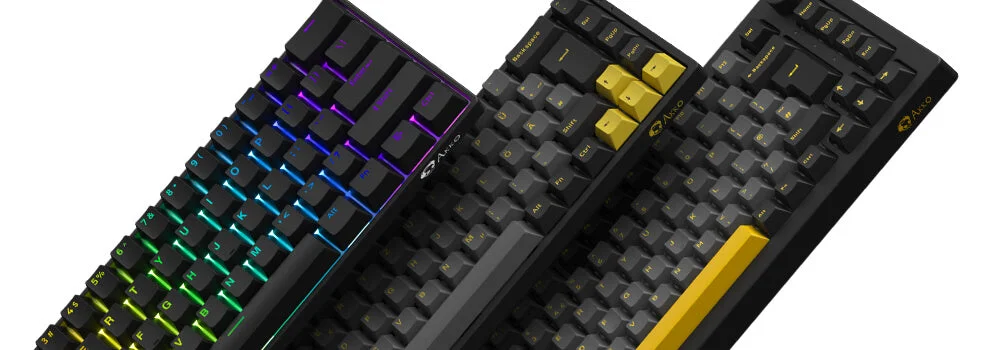
A 75% keyboard is often the easiest compact layout to live with. It usually includes a function row, arrow keys, and several navigation controls, but places them close together. This saves desk space without requiring users to memorize many layers. The main adjustment is visual and physical: keys that were separated on a full-size or TKL board may be packed into a smaller block.
A 65% keyboard removes the function row but keeps dedicated arrow keys, making it attractive for people who want a smaller footprint without giving up convenient cursor control. You can access function keys through a function layer, but that means holding an additional key. For gaming, coding, and everyday writing, the layout can be an effective compromise, provided you do not frequently use the F-row as individual controls.
How to Choose the RIGHT Keyboard Size (60%, 65%, TKL, 100%)
A 60% keyboard is the most minimalist of these common layouts. It leaves more room for a mouse and can be easy to carry, but it demands the greatest adjustment. Arrow keys, function keys, navigation commands, and sometimes media controls are accessed through combinations. This can work well for users who enjoy customizable shortcuts or want an uncluttered desk, but it may slow down workflows that rely on dedicated keys.
Compact keyboards can also differ in modifier-key sizes, bottom-row spacing, and arrow-key placement. These details affect replacement keycap compatibility and typing comfort. If you plan to customize a board, check whether it uses a standard layout and whether the included keycaps match the dimensions you expect.
How Keyboard Size Affects Desk Space and Productivity
Measure the usable width of your desk before choosing a layout. Include space for the mouse, a monitor stand, a notebook, and any equipment you use daily. A keyboard that technically fits may still feel cramped if it leaves no comfortable area for pointing devices or writing. A compact layout can free several inches, but that space only improves the setup if you use it intentionally.
Keyboard position matters as much as overall size. Center the main letter section with your body rather than centering the entire keyboard, particularly on full-size models with a number pad. A Desk Mount can raise or reposition a keyboard tray, but verify its weight limit, mounting dimensions, and adjustment range before relying on it to solve a crowded workspace. A keyboard sleeve is useful when moving a compact board between home, school, and work, especially if the smaller size encourages you to carry it more often.
Recommended product
Use these catalog picks as a shortlist for how to choose the right keyboard size: full-size, tkl, 75%, or 60%. Compare measurements, materials, and return terms side by side instead of buying from a photo alone.


Consider the controls you use without looking down. Dedicated keys are usually faster when you frequently switch applications, edit documents, adjust audio, or use function-row commands. On the other hand, a smaller board may improve mouse access and reduce visual clutter. Features such as a keyboard backlight can help with visibility in dim rooms, but backlighting does not compensate for a layout that makes your routine unnecessarily difficult.
Work, gaming, and travel considerations
For spreadsheets, finance, and data-heavy work, full-size remains the safest starting point. For mixed office work, programming, and gaming, TKL or 75% often provides a useful balance. For a clean gaming setup or frequent travel, 65% and 60% models can leave more room and reduce carrying weight. However, competitive games may require you to test the distance between the letter keys and mouse area, since the ideal width depends on your preferred hand position.
Brand and accessory compatibility can also influence the decision. A compact Fintie case, a TOP CASE protective option, or an Asus keyboard may use different exterior dimensions even when the advertised layout is similar. Check the exact model number, switch or connection type, detachable cable position, and case clearance rather than buying an accessory based only on the percentage label.
Choosing the Best Layout for Your Setup
Start by listing the keys you use every day. If the number pad is essential, choose full-size or pair a TKL board with a separate number pad. If you need arrow keys and occasional navigation controls, 75% or 65% layouts are likely to be more convenient than 60%. If you value maximum desk space and are comfortable with shortcuts, a 60% model may provide the cleanest arrangement.
Next, assess how much relearning you are willing to do. Moving from full-size to TKL is usually simple. Moving to 75% may require adapting to compressed spacing, while 65% and 60% layouts require more familiarity with function layers. Look for programmable keys, clear legends, and accessible software if you depend on custom shortcuts. Wired and wireless connectivity, switch feel, keycap shape, and wrist support should be evaluated after the layout has passed this basic suitability test.
When comparing the one catalog pick with alternatives, use a simple pros-and-cons check: record its actual width, included keys, connection options, backlight controls, and compatibility with cases or mounts. Its advantages may be lower desk usage or easier portability, while possible drawbacks may include missing dedicated controls, unusual spacing, or a learning curve. This approach compares practical fit instead of treating a smaller percentage as automatically superior.
The right keyboard size is the one that keeps your most frequent actions easy while fitting the space around you. Full-size prioritizes complete access, TKL balances familiarity and width, 75% and 65% preserve many useful controls in smaller footprints, and 60% maximizes compactness at the cost of dedicated keys. Choose based on your actual tasks, then confirm the measurements and layout diagram before ordering.
FAQ: How to Choose the Right Keyboard Size: Full-Size, TKL, 75%, or 60%
What keyboard size should I choose for everyday use?+
A full-size keyboard is a practical choice if you regularly use a number pad for spreadsheets, accounting, data entry, or shortcuts. Choose a TKL, 75%, 65%, or 60% layout if you want to save desk space and are comfortable using a function layer or separate number pad.
Is a TKL keyboard better than a full-size keyboard for gaming?+
A TKL keyboard removes the number pad, giving your mouse more room while keeping dedicated arrow, navigation, and function keys. It is a good fit for gaming and general use, but a full-size model may be more convenient if you frequently enter numbers.
What is the difference between 75%, 65%, and 60% keyboards?+
A 75% keyboard usually keeps the function row and arrow keys in a compact layout. A 65% keyboard typically removes the function row but retains arrow and some navigation keys, while a 60% keyboard removes dedicated function, arrow, and navigation keys and accesses them through key combinations.
Which keyboard size is best for a small desk?+
A 60%, 65%, or 75% keyboard leaves the most room for a mouse, notebook, or other desk equipment. Choose based on which dedicated keys you need, since smaller layouts rely more heavily on function layers and shortcuts.
Should I buy a full-size or compact keyboard for work?+
Choose a full-size keyboard if your work involves frequent number entry or dedicated navigation keys. A TKL or 75% keyboard can be better for limited desk space while still keeping commonly used keys, but check the layout before buying to ensure it includes the keys and shortcuts you use.